SmartTools.SmartSuspend
SmartAffinity
SmartTVSeeker
SmartBackup
SmartWOL
SmartSuspend
SmartRefuel
SmartTouch
SmartPano
SmartEnergySaver
SmartFFmpeg
SmartCPUStress
SmartCapture
StayAwake
TouchVolume
Sprachentrainer
cPOS Skin
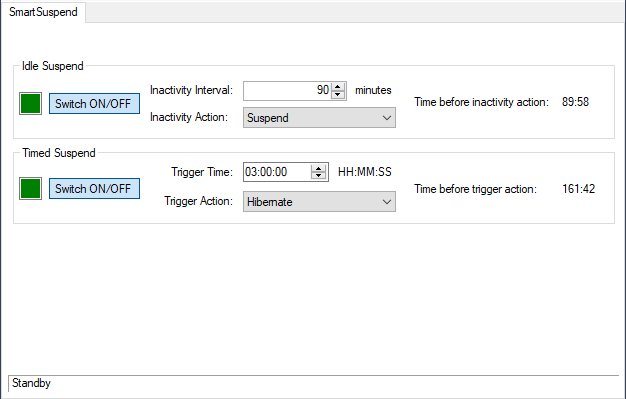 Windows offers API functions for applications to interrupt or disable the timer that activates the powersave features set in the power settings in the control panel.
Sometimes this is not the desired behaviour and you wish that Windows would for example hibernate after 60 minutes after the last user interaction in ANY case! So how to make user interaction (keyboard/mouse) the only action that keeps Windows alive?
SmartSuspend has an configurable inactivity timer, that is only reset by keyboard or mouse. If the timeout is over without any interaction, the desired action is performed like suspend, hibernation or shutdown.
Highly recommended for applications that require reliable powersaving features like Laptops or Car-PCs / Carputer.
The other feature is to perform a suspending action at a fixed time of the day, every day. Set the Trigger Timer to e.g. "03:00:00" and the Trigger Action to "Hibernate", and Windows will hibernate at 3 am. every day, if the Timed Suspend function is enabled.
| Prerequisites: |
Microsoft .NET Framework 3.5 SmartTools 1.5.0+ Gma.UserActivityMonitor.dll (Copy into Plugins-Subfolder of SmartTools as well) |
(Current version: 1.2.1)
Download (Copy into Plugins-Subfolder of SmartTools)
03.11.2010